15 August DP Editing AI Prompt Copy Paste Guide (2026)
15 August DP Editing AI Prompt Independence Day Coming Back in 2026 and let’s be honest your WhatsApp DP is still last year’s photo. Here’s the good part. You don’t need Photoshop skills or a design degree to fix that. All you really need is the right AI prompt a decent photo and about two minutes.
This article will share you through the copy-paste AI prompts for your 15 August DP show you which tools to use and give you a few tricks that actually make your photo stand out instead of blending into the sea of tricolor filters everyone else is posting. No jargon no filler. Just prompts that work.
Let’s dive in.
What Is a 15 August AI DP Editing Prompt?
Think of a 15 August DP editing prompt as a set of instructions you hand over to an AI tool whether that’s ChatGPT Gemini or Midjourney. You describe what you want and the AI turns your regular photo into a patriotic festive-looking profile picture.
It’s a bit like ordering food instead of cooking it yourself. You describe the dish. Someone else does the actual work.
Same idea here. You describe the tricolor lighting the flag in the background the mood you’re going for and the AI takes care of the editing.
This is exactly why these prompts have taken off this year. People want a good DP fast without spending their whole evening on an editing app.
15 August 3D Text Illusion Prompt Bing Creator Free
Ornate, gold-leaf 3D lettering “15 AUGUST” placed on a polished marble floor inside an opulent Indian palace. Intricate carvings, soft ambient lighting from arched windows, reflections on the floor, regal and elegant atmosphere, 8k resolution.
A stunning 3D sculpture of “15 AUGUST” completely constructed from thousands of real Marigold (saffron), White Jasmine (white), and Green Leaf (green) flowers. Soft, natural morning sunlight, macro detail on petals, artistic, ethereal, photorealistic.
Prompt Copied Successfully
Majestic 3D gold-plated text “15 AUGUST” positioned in front of a grand, stylized Indian monument at sunset. Dramatic orange and golden sky, long shadows, intricate marble textures, professional architectural photography, cinematic wide-angle lens.
Prompt Copied Successfully
A vibrant street-art style 3D mural of “15 AUGUST” on a brick city wall. Incorporating graffiti elements with splashes of tricolor paint. Realistic spray-paint texture, daylight, high contrast, gritty urban aesthetic, sharp details.
Prompt Copied Successfully
Massive 3D block letters spelling “Proud to be Indian. Proud to be free. Jai Hind!” wrapped in luxurious, textured silk fabric in saffron, white, and green. Placed on a stage with soft, dramatic spotlighting. High-fashion photography style, intricate fabric weaves visible, 8k resolution.
Prompt Copied Successfully
Digital 3D text “15 AUGUST” constructed from thousands of glowing data particles and fiber-optic cables. Cyber-grid background in deep navy blue, glowing saffron and green energy pulses throughout the letters. Unreal Engine 5 render, sci-fi aesthetic.
Prompt Copied Successfully
Digital 3D text “15 AUGUST” constructed from thousands of glowing data particles and fiber-optic cables. Cyber-grid background in deep navy blue, glowing saffron and green energy pulses throughout the letters. Unreal Engine 5 render, sci-fi aesthetic.
Prompt Copied Successfully
The text “happy independence day 2026” formed out of fluffy, volumetric clouds in a bright blue sky. A trail of saffron, white, and green smoke from a jet plane flying behind the letters. Dreamy, ethereal lighting, high altitude perspective, photorealistic.
Prompt Copied Successfully
ChatGPT (GPT Image) Prompt Format
Upload your photo straight into the chat then paste your prompt right below it. ChatGPT does its best work when you describe exact changes to an existing photo instead of asking it to invent something from nothing.
Gemini/Nano Banana Prompt Format
Gemini has a real advantage here. It handles Indian faces and skin tones remarkably well which makes it a strong pick if realism matters to you. Just upload the photo paste the prompt and describe your edits in plain language.
Midjourney Prompt Format
Midjourney isn’t built for easy photo edits. It shines when you want to generate a brand new patriotic image purely from text without uploading a photo at all. Good choice if you’re after something artistic rather than a tweaked selfie.
Free Tools Without Login
Don’t want to sign up anywhere? Bing Image Creator or Gemini through a basic Google account both handle simple tricolor DP edits just fine.
50+ Copy-Paste 15 August AI Photo DP Editing Prompts
Here’s the part you actually came for. Copy any prompt below paste it into your chosen tool and upload your photo wherever the tool edit you like.
Use the uploaded reference image as the ONLY facial reference. Preserve the person’s face with 100% identity accuracy. Do not change the face shape, hairstyle, eyes, eyebrows, nose, lips, beard, skin tone, expression, age, or facial proportions. Replace only the body, clothing, pose, lighting, and background while keeping the face perfectly identical and naturally blended. Create an ultra-realistic rainy Independence Day portrait. Wearing a white kurta with realistic rain droplets, holding a vibrant Indian flag under heavy rain. Wet road reflections, dramatic storm clouds, cinematic lighting, realistic water effects, ultra detailed skin texture, DSLR photography, HDR, 8K, 9:16.
Prompt Copied Successfully
Use the uploaded reference image as the ONLY facial reference. Preserve the person’s face with 100% identity accuracy. Do not change the face shape, hairstyle, eyes, eyebrows, nose, lips, beard, skin tone, expression, age, or facial proportions. Replace only the body, clothing, pose, lighting, and background while keeping the face perfectly identical and naturally blended. Create a luxury Independence Day poster-style portrait. Rich golden lighting, giant Indian tricolor flowing behind, elegant white sherwani with subtle gold embroidery, Red Fort silhouette, Ashoka Chakra glowing softly in the background, flower petals, cinematic light rays, premium magazine cover quality, ultra realistic, highly detailed, 8K HDR, 9:16.
Prompt Copied Successfully
Use the uploaded reference image as the ONLY facial reference. Preserve the person’s face with 100% identity accuracy. Do not change the face shape, hairstyle, eyes, eyebrows, nose, lips, beard, skin tone, expression, age, or facial proportions. Replace only the body, clothing, pose, lighting, and background while keeping the face perfectly identical and naturally blended. Create a realistic cinematic portrait walking confidently toward the camera carrying a giant Indian flag flowing behind in the wind. Stylish white traditional outfit, dramatic clouds, tricolor smoke, flower petals, shallow depth of field, volumetric lighting, premium fashion photography, ultra realistic, 8K, vertical.
Prompt Copied Successfully
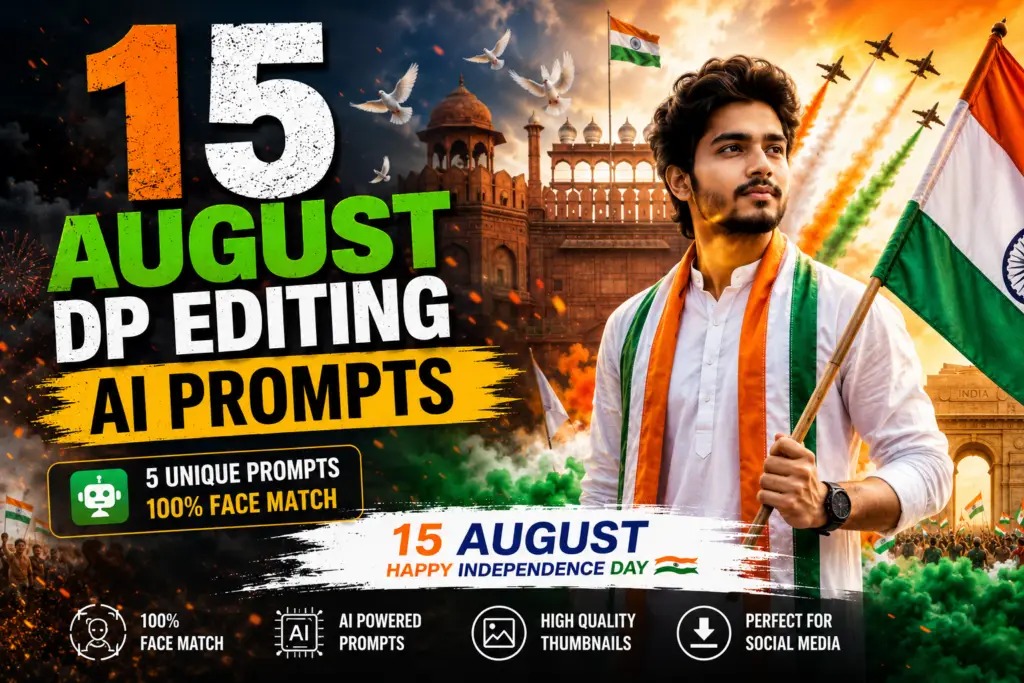
Use the uploaded reference image as the ONLY facial reference. Maintain 100% exact facial identity with zero facial alteration. Create an ultra-realistic portrait of the person standing proudly in front of the Red Fort during Independence Day celebrations. Wearing a premium white kurta with a saffron-white-green stole, holding a large Indian tricolor flag. Morning golden sunlight, flower petals, flying pigeons, patriotic smoke, cinematic atmosphere, shallow depth of field, DSLR portrait, ultra detailed, realistic skin texture, 8K HDR, 9:16.
Prompt Copied Successfully
Use the uploaded reference image as the ONLY facial reference. Preserve 100% facial identity exactly. No facial edits, enhancements, aging, de-aging, or expression changes. Create a realistic 9:16 cinematic portrait of the person saluting beside Indian Army soldiers during Independence Day. Wearing a crisp white kurta with a tricolor scarf, Indian flag waving in the background, military parade, helicopters flying overhead releasing saffron, white, and green smoke, dramatic sunrise, patriotic crowd, ultra-realistic lighting, DSLR quality, cinematic composition, realistic textures, 8K.
Prompt Copied Successfully
Use the uploaded reference image as the ONLY facial reference. Maintain 100% exact facial identity with no changes to face shape, hairstyle, eyebrows, eyes, nose, lips, beard, skin tone, expression, or facial proportions. Do not beautify, stylize, or alter the face in any way. Create an ultra-realistic 9:16 portrait of the person standing proudly in front of the Red Fort during India’s Independence Day celebration. Wearing a premium white kurta with a saffron, white, and green stole, holding a large Indian tricolor flag. Golden sunrise lighting, flying pigeons, flower petals, patriotic smoke in saffron, white, and green, cinematic atmosphere, shallow depth of field, DSLR photography, realistic skin texture, ultra-detailed clothing, 8K HDR, masterpiece, national celebration mood.
How to Use These 15 August DP Editing AI Prompts Step-by-Step Copy Paste Guide
Once you know the order using these prompts takes barely any effort.
Step 1: Choose Your Base Photo
Start with a clear well-lit photo of yourself. A front-facing shot with decent lighting gives the AI a lot more to work with and the results show it.
Step 2: Paste the Prompt Correctly
Copy the prompt exactly as it’s written above. Upload your photo first then paste the prompt as your very next message.
Step 3: Adjust Aspect Ratio for DP
Most DP formats look best as a square (1:1) or a vertical crop (4:5). If needed just ask the tool to “crop this to a square format” right after the edit.
Step 4: Download & Set as DP
Save your final image and set it as your WhatsApp Instagram or Facebook profile picture. That’s it.
Tips to Make Your 15 August DP Go Viral
A great prompt gets you halfway there. These extra touches are what actually get you noticed.
Best Time to Post Your DP
Update your DP the evening before Independence Day or early on the morning of August 15 itself. That’s when people are glued to WhatsApp statuses and Instagram feeds the most.
Adding Tricolor Filters
If your AI-edited photo still feels a bit flat layer a light tricolor gradient on top using a free app like Canva or PicsArt.
Caption Ideas to Pair With Your DP
“Freedom is not just a day it’s a feeling”
“Proud to be Indian today and always”
“Rang de tiranga”
FAQs About 15 August DP AI Prompts 15 August 3D Text Illusion Prompt
Which AI tool is best for 15 August DP editing?
Gemini and ChatGPT both handle real photo edits well. Go with Midjourney instead if you want something more artistic and less like an edited selfie.
Can I use these prompts on mobile?
Absolutely. ChatGPT Gemini and the other tools mentioned here all have mobile apps or mobile-friendly sites. You can copy paste and generate your DP right from your phone.
How do I make my DP look more realistic and not “AI-generated”?
Keep it subtle. Stick to gentle lighting changes and natural color grading and always tell the AI to keep your face and skin tone unchanged. Extreme effects are usually what give the AI look away.
What size or aspect ratio should a WhatsApp DP be?
A square (1:1) crop works best for WhatsApp. Instagram profile pictures also display well as a square even though the app shows them inside a circular frame.
Can I use my own photo with these prompts?
Yes and honestly you should. These prompts are written specifically to edit an existing photo of you not to generate some random face.
Is it okay to use AI-generated patriotic images on social media?
Yes as long as you’re respectful about how you represent the national flag and don’t distort its design or colors. Keep that in mind with any prompt you try.
Which prompt works best for Instagram vs WhatsApp?
Cinematic artistic prompts like the sunset silhouette or rooftop portrait tend to do better on Instagram. Simpler flag-backdrop or text-overlay prompts are perfect for a quick WhatsApp DP update.
Conclusion
Making a great 15 August DP really doesn’t have to be a whole project. Grab the right prompt pair it with a decent photo and a free tool like ChatGPT or Gemini will edit your image to patriotic polished profile picture in minutes.
Pick one prompt from this article tweak it to fit your photo’s lighting and outfit and you’re ready for Independence Day. Bookmark this page too since these prompts work just as well next year and the year after that.


.png)