
Veo 3 Cinematic Video Prompts | Best Veo 3 Prompts Template
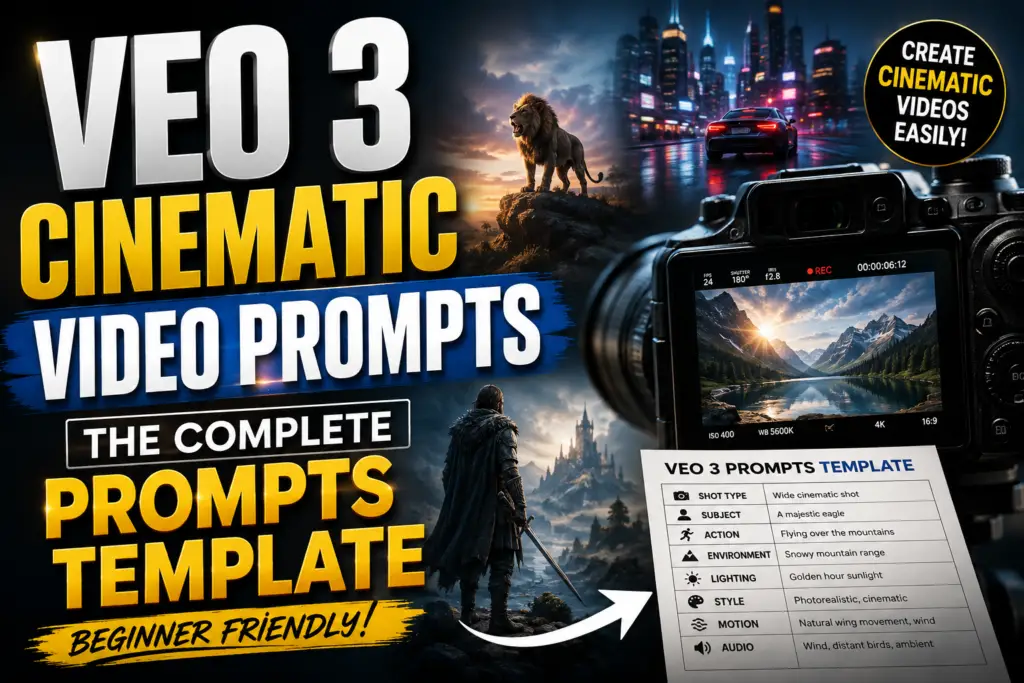
Creating a cinematic AI video is no longer just about typing a creative idea into a video generator
The real difference comes from how you describe the shot
A simple prompt such as a man walking through a forest gives Veo an idea but it leaves many important decisions open What does the camera do What is the lighting How fast does the man move What does the environment sound like What mood should the scene create
That is where Veo 3 cinematic video prompts become useful
With the right prompt structure you can control the subject camera movement environment lighting visual style action and sound much more precisely
This guide explains a practical Veo 3 prompts template you can reuse for cinematic videos wildlife scenes short films product ads social media videos fantasy scenes and storytelling
What Are Veo 3 Cinematic Video Prompts
Veo 3 cinematic video prompts are detailed text instructions designed to tell Google’s Veo video model what kind of video to generate
Instead of describing only the subject a strong prompt describes the entire shot
For example
A wolf walks slowly through a misty pine forest at sunrise
This gives Veo the basic concept
A more cinematic version would be
Wide cinematic tracking shot of a gray wolf walking slowly through a mist-covered pine forest at sunrise The camera follows from a low rear angle as golden sunlight passes between the trees Frost moves beneath the wolf’s paws its fur reacts naturally to the cold breeze and distant birds call through the forest Photorealistic wildlife documentary style soft atmospheric lighting shallow depth of field natural motion
The second prompt gives the model much more visual direction
Google’s Veo guidance recommends a structured approach using cinematography subject action context and style/ambiance Veo can also respond to audio instructions such as dialogue sound effects and ambient sound
The Best Veo 3 Prompts Template
A useful reusable formula is
[Camera + Shot] + [Subject] + [Action] + [Environment] + [Lighting] + [Visual Style] + [Motion Details] + [Audio]
You can turn it into this template
[Shot type] of [subject] [performing action] in [location/environment] Camera [camera movement] captured with [lens/composition] Lighting is [lighting description] The scene feels [mood] Include [motion/physical details] Visual style [style] Audio [ambient sound/SFX/dialogue]
This structure works because it separates the important filmmaking decisions instead of mixing everything into one vague sentence
Quick Example
Low-angle medium shot of a young explorer walking through an ancient jungle temple The camera slowly tracks backward in front of her as vines move in the wind Warm sunlight breaks through dense leaves creating dramatic rays and soft shadows Her clothing moves naturally with each step Photorealistic cinematic adventure film realistic physics shallow depth of field Audio insects distant birds footsteps on wet stone
8 Elements of a Strong Veo 3 Video Prompt
1 Shot Type
Start by telling Veo how the scene should be framed
Useful options include
- Wide establishing shot
- Medium shot
- Close-up
- Extreme close-up
- Low-angle shot
- High-angle shot
- Over-the-shoulder shot
- POV shot
- Macro shot
- Aerial shot
For example
Extreme close-up of a raindrop sliding across a green leaf
This immediately creates a different visual result from
Wide aerial shot of a rainforest
2 Camera Movement
Camera movement is one of the most important parts of cinematic prompting
Try phrases such as
- Slow dolly-in
- Dolly-out
- Tracking shot
- Side tracking shot
- Smooth pan
- Tilt upward
- Crane shot
- Orbit shot
- Aerial drone movement
- Handheld movement
- Slow push-in
- Camera following the subject
For example
The camera slowly tracks alongside the running horse
is much more useful than
Make it cinematic
3 Subject
Clearly identify the main subject
Include important visual characteristics when they matter
- Age or type
- Clothing
- Color
- Size
- Facial features
- Fur or feathers
- Accessories
- Physical appearance
For a wildlife scene
A large Bengal tiger with wet orange fur and dark black stripes
For a product video
A premium black smartwatch with a polished metal frame and curved glass display
4 Action
Video requires movement
Don’t only describe what the subject looks like Explain what it does
Weak
A bird in a forest
Better
A bright blue bird lands on a moss-covered branch looks around cautiously then spreads its wings and takes flight
This gives Veo an actual sequence of movement
5 Environment
The environment establishes context and atmosphere
Describe
- Location
- Weather
- Time of day
- Background
- Surface
- Natural elements
- Architecture
- Atmospheric effects
For example
Dense tropical rainforest after heavy rain wet leaves mist between the trees shallow streams flowing over dark rocks
Specific environmental details can make the generated scene feel more grounded
6 Lighting
Lighting strongly influences cinematic appearance
Useful lighting descriptions include
- Golden-hour sunlight
- Soft morning light
- Overcast daylight
- Moonlight
- Neon lighting
- Volumetric light
- Dramatic rim lighting
- Backlighting
- Soft window light
- Harsh midday sunlight
- Candlelight
- Blue-hour lighting
Example
Warm golden-hour backlighting creates a subtle rim of light around the subject
7 Motion and Physical Details
This is where many AI video prompts fail
Don’t simply say realistic
Describe the physical behavior you want
For example
Wind moves the character’s hair naturally dust rises beneath his boots and the fabric of his jacket reacts to each step
For wildlife
The bird’s feathers move naturally in the breeze its chest rises subtly while breathing and its claws grip the branch as it shifts its weight
These details give the scene more believable movement
8 Audio
One major advantage of Veo’s newer generation capabilities is its ability to generate synchronized audio elements Google specifically recommends directing dialogue sound effects and ambient sound when appropriate
You can specify
Audio heavy rain distant thunder leaves rustling realistic footsteps
Or
Audio natural bird calls soft wind through the trees distant insects No human voice
For dialogue
A woman speaks calmly We need to leave before sunrise
Google’s current documentation also recommends clear direct language and provides specific guidance on formatting speech instructions
20 Ready-to-Use Veo 3 Cinematic Video Prompts
1 Drone reveal mountain village
Picture a drone slowly climbing above a Himalayan village wrapped in morning fog Prayer flags flutter in the breeze smoke curls up from rooftop chimneys and everything glows in soft golden light The camera pushes forward cutting through the clouds until the whole valley opens up below You can hear the wind moving and temple bells ringing somewhere in the distance.
2 Talking animal skit
A golden retriever sits at the kitchen table reading glasses perched on his nose staring at a laptop screen with a heavy sigh In a tired very human voice he mutters “I did not sign up for this Monday” The lighting’s warm the camera doesn’t move and it plays out like a little sitcom moment.
3 Macro rain droplet
Get in close really close on a single raindrop as it falls in slow motion onto a spider web at dawn The morning sun backlights it just right and you can see the forest bending and refracting inside the droplet itself Birds are singing softly in the background with a light piano melody underneath.
4 First-person street food
You’re walking through a packed night market in Bangkok seeing it all from a first-person view Neon signs bounce off the wet pavement food stalls sizzle as you pass steam drifting up into frame The market hums around you chatter sizzling pans upbeat street music weaving through it all.
5 Impossible physics loop
In a sunlit café a coffee cup pours itself backward the liquid rising up from the saucer and flowing back into the pot It’s shot in slow motion reversed on a steady tripod angle with soft jazz playing and the whole thing looping seamlessly.
6 Wildlife close encounter
A snow leopard steps out silently from behind a rock ledge high in the Himalayas locking eyes with the camera You can see its breath in the cold air as the shot slowly zooms in Minimal wind sound that classic hushed documentary tone like something straight out of National Geographic.
7 Time-lapse cityscape
Watch Tokyo’s Shibuya crossing shift from daylight to night in a fast time. Thousands of people streaming across the intersection neon signs flicking on one by one as the sky darkens and clouds streak overhead. A synth score builds steadily underneath, growing more intense as the city comes alive.
8 Emotional pet reunion
A soldier in uniform walks through the arrivals hall of an airport and out of nowhere a golden retriever comes sprinting across the terminal and leaps straight into his arms. The moment of impact slows down bathed in warm cinematic light, an orchestral score swelling as the airport noise fades away around them.
9 Surreal object transformation
An autumn leaf drifts down from a tree and mid-fall it quietly morphs into a small paper airplane gliding off into the golden hour light The transformation happens as one smooth match cut with soft strings and a gentle breeze carrying the sound.
10 Kitchen ASMR
Hands knead fresh dough on a flour-dusted wooden table sunlight streaming in through the window and catching the flour as it floats in the air The camera slowly circles around while the audio stays crisp and close kneading light tapping the quiet hum of a kitchen in the background.
11 Talking baby comedy
A baby sits in a high chair staring dead into the camera with a completely serious expression Then in a deep unmistakably adult voice he says “I’m two I don’t have a retirement plan either” There’s a beat of silence before the line lands bright kitchen background camera locked in place.
12 Epic storm chase
Out on the open plains at dusk a supercell thunderstorm takes shape Lightning flashes in the distance the grass bends sideways in the wind and the camera tracks alongside from a moving vehicle Thunder rumbles low and deep wind gusts whip past and a tense ambient score builds underneath.
13 Underwater bioluminescence
A diver moves through a cave lit entirely by glowing blue bioluminescent plankton bubbles drifting past the camera in slow motion The sound is muffled, distant, almost dreamlike with an ethereal ambient score floating over it.
14 Product hero shot
A perfume bottle rests on black glass rotating slowly a full 360 degrees while golden liquid ripples inside Rose petals fall into frame in slow motion dramatic side lighting catching every edge A short orchestral sting plays paired with the faint clink of glass.
15 Street interview hook
A street interviewer stops a random passerby in New York City and asks “What’s one thing you’d tell your younger self” There’s a pause before the person answers thinking it over It’s shot handheld documentary-style with the real sounds of the city running underneath.
16 Fantasy creature reveal
The camera drifts slowly through a misty ancient forest at night Moonlight breaks through the canopy overhead and then a massive wolf with glowing eyes comes into view standing perfectly still among the trees A low ambient drone hums beneath the scene an owl calls somewhere far off and mist curls around the wolf’s paws.
17 Satisfying destruction loop
A wave of colorful sand crashes in slow motion over a spiral of perfectly arranged dominoes shot from ground level There’s no music here just crisp cascading sound design carrying the whole thing pure ASMR from start to finish.
18 Emotional monologue close-up
An extreme close-up settles on an old fisherman’s weathered face at sunrise waves breaking softly behind him He speaks quietly “The sea doesn’t wait for anyone and neither should you” The light is warm the focus shallow and the ocean hums gently in the background.
19 Sci-fi cityscape flyover
The camera flies low and fast through a neon-drenched futuristic city at night weaving past flying cars and flickering holographic billboards. A pulsing synthwave score drives the scene forward wind rushing past as the camera picks up speed.
20 Wholesome slow-motion joy
Kids run through a backyard sprinkler on a summer afternoon water droplets frozen mid-air in slow motion golden hour light glowing through each one. You hear laughter splashing water and a warm nostalgic acoustic guitar tying it all together.
Veo3 Google Flow
Veo 3 Prompt Template for Beginners
If you’re new to AI video generation don’t overcomplicate your first prompts
Use this simple template
[Shot] + [Subject] + [Action] + [Location] + [Camera] + [Lighting] + [Style] + [Audio]
Example
Wide shot of a white horse running across a green meadow at sunrise Camera tracks alongside the horse smoothly Warm golden-hour lighting realistic grass movement cinematic wildlife photography Audio hoofbeats wind distant birds
Once you understand this structure add more detail
Advanced Veo 3 Prompts Template
For more complex scenes use
Cinematography [shot + lens + camera movement]
Subject [character/object appearance]
Action [specific movement]
Environment [location + weather + background]
Lighting [light source + quality]
Motion [physics + secondary movement]
Style [cinematic/documentary/commercial/etc]
Audio [dialogue + SFX + ambience]
This format is particularly useful when you want consistent results across a series of videos
Common Mistakes When Writing Veo 3 Prompts
1 Being Too Vague
Create a beautiful cinematic video doesn’t provide enough direction
Tell Veo what the camera subject environment and action should do
2 Adding Too Many Unrelated Actions
Trying to fit five major events into a short clip can make the result messy
Focus on one primary action
3 Ignoring Camera Movement
A visually interesting subject can still produce a boring video if you don’t describe the camera
4 Describing Appearance but Not Motion
AI video needs movement instructions
Explain how the subject clothing hair water smoke dust or environment behaves
5 Forgetting Audio
If your workflow supports generated audio don’t treat sound as an afterthought
Specify the soundscape when it matters
6 Using Make It Cinematic as the Main Instruction
Cinematic is useful but it isn’t a filmmaking plan
A better prompt describes why the shot should look cinematic
For example
Slow dolly-in shallow depth of field warm backlight subtle lens flare controlled motion dramatic composition
How to Make Veo 3 Videos More Cinematic
The easiest approach is to think like a filmmaker rather than a prompt writer
Before writing the prompt answer five questions
- What does the audience see first
- What is the subject doing
- Where is the camera
- How does the environment react
- What should the audience hear
Then combine those answers into one clear scene
This approach also matches Google’s current prompting guidance which emphasizes specific camera direction composition lens/focus environment and sound rather than vague aesthetic instructions
Veo 3 Prompts for Different Content Types
You can adapt the same framework to almost any niche
For YouTube Shorts
Focus on
- Strong opening shot
- Fast visual movement
- Clear subject
- Vertical composition
- One memorable action
For Wildlife Videos
Focus on
- Natural animal behavior
- Realistic physics
- Environmental sounds
- Documentary camera movement
- Weather and habitat
For Product Videos
Focus on
- Macro details
- Controlled camera movement
- Reflections
- Product materials
- Studio lighting
For Fantasy Videos
Focus on
- Creature design
- Environmental interaction
- Atmospheric lighting
- Magical effects
- Consistent character details
For Short Films
Focus on
- Character continuity
- Camera direction
- Emotional action
- Dialogue
- Sound design
- Scene-to-scene consistency
Frequently Asked Questions
What is the best Veo 3 prompt format
A strong starting format is
Cinematography + Subject + Action + Context + Style + Audio
This gives you control over the most important visual and audio elements without making the prompt unnecessarily complicated
How long should a Veo 3 prompt be
There is no universal perfect prompt length
The better rule is to include enough detail to remove ambiguity while keeping the scene focused A clear description of one strong action is usually better than a huge paragraph containing unrelated events
How do I make Veo 3 videos look cinematic
Use specific filmmaking language such as shot type camera movement composition lens depth of field lighting atmosphere and realistic motion
Don’t rely on the word cinematic alone
Can I use the same Veo 3 prompts template for different videos
Yes
The template is reusable Replace the subject action environment camera movement lighting and audio while keeping the overall structure
Should I include sound in a Veo 3 prompt
Yes when sound matters to the scene
Describe ambient sound sound effects and dialogue clearly Veo’s video generation capabilities include synchronized audio making sound direction an important part of cinematic prompting
Is a detailed prompt always better
No
More words do not automatically produce better videos
A focused prompt with clear priorities is usually more useful than a giant prompt containing contradictory instructions
Conclusion
The secret to better AI video generation isn’t simply finding a longer prompt
It’s learning how to direct the scene
A good Veo 3 prompts template should tell the model what the viewer sees what the subject does where the camera moves how the environment behaves how the scene is lit and what the audience hears
Start with this formula
Camera + Subject + Action + Environment + Lighting + Style + Motion + Audio
Then experiment with different camera movements cinematic compositions lighting setups and soundscapes
Once you stop writing prompts like descriptions and start writing them like miniature film directions your results become much easier to control
The best Veo 3 cinematic video prompts aren’t necessarily the longest ones They’re the ones that make the creative intent clear
Read More